


Rocket Mortgage
4.715.07K Reviews
App Specs
- Version
- 10.35.0
- Updated On
- License
- Free
- Downloads
- 1,000,000+
- Developer
- Rocket Mortgage
- Categories
- Finance
- Platform
- Android
Screenshots
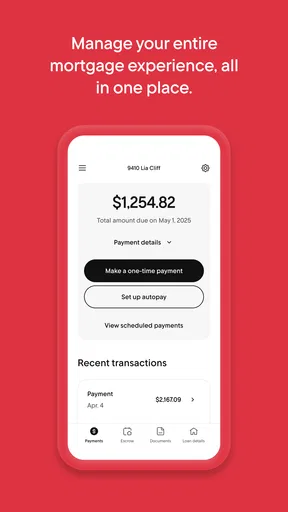
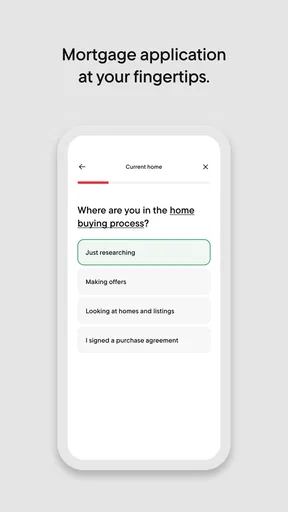
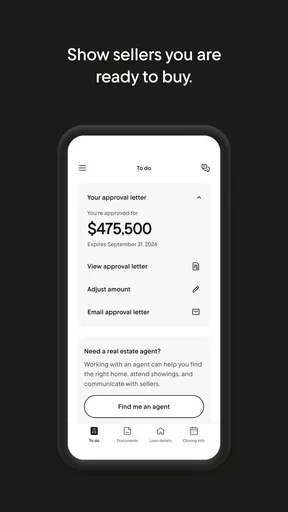
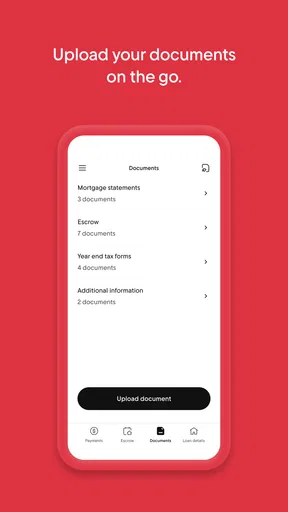
 Analysis by AppCompare
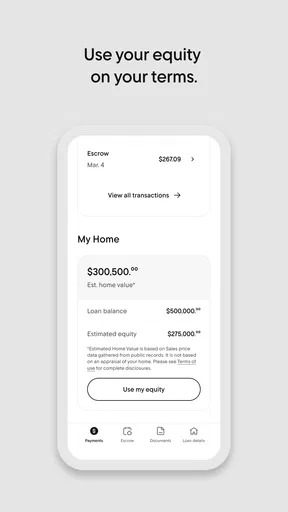
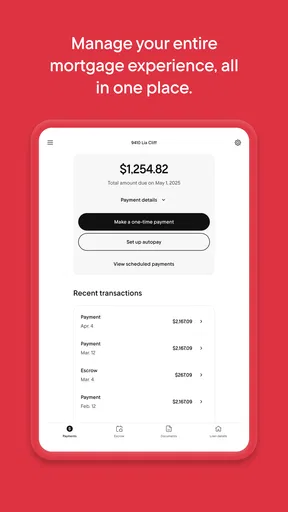
I tend to judge a mortgage app less by the excitement of setting it up than by whether I have a good reason to open it again next month. A home loan is a long-running commitment, so the useful question is whether a phone can make its routine easier without turning money management into another daily chore. Rocket Mortgage is a finance app from Rocket Mortgage built around handling mortgage tasks in one place. Its appeal is clearest when you already have a loan or are actively working through a home purchase or refinance; it is much less compelling as a general-purpose money manager.
What feels useful in the first week
When I first try a mortgage app, I want to find the essentials without learning a new system: where the loan stands, what action needs attention, and how to get help if I hit a snag. Rocket Mortgage’s central promise is that mortgage management can happen through the app, rather than requiring me to treat every step as a separate paper-and-phone task. That focus is helpful for a first-time buyer who is already juggling unfamiliar terminology, documents, and decisions.
The first week is also when I would use it to establish a simple routine, not to check it constantly. I’d sign in when I have a specific reason, review the information tied to my mortgage, and make a note of any question that needs an answer. That approach makes a finance app feel like a tool rather than a source of extra notifications and worry. The app is free, and its Everyone age rating reflects broad general suitability, though a mortgage is still an adult financial responsibility that calls for careful decisions.
Where month-to-month value comes from
A mortgage does not usually need attention every day. That is why I see lasting value here as practical rather than entertaining: the app can be worth keeping if it helps me return to mortgage-related information when I need it and makes a longer process easier to follow. If I am buying a home or refinancing, an organized place to revisit the steps can reduce the mental load of remembering what I have already done and what still needs my attention.
For an ordinary homeowner, a sensible pattern is to check in around a real task—reviewing the loan, handling a question, or following an active process—instead of opening the app just because it is on the home screen. The app has an average rating of 4.8 from around 32,000 ratings, and it has been installed over a million times. Those figures suggest it has reached many users, but they cannot tell me whether its day-to-day fit will suit a particular borrower. My own test would be whether I can find what I need quickly enough to make those occasional check-ins worthwhile.
Maintenance without making a new chore
The best long-term setup is probably a light one. I would keep the app available while I have an active mortgage relationship or a loan process to follow, make sure I can sign in when needed, and avoid treating every alert as a reason to interrupt my day. If I change phones or stop using a device, I would also take the ordinary care I use with any finance app: protect access to the device and avoid leaving sensitive account information exposed.
That routine matters because a mortgage app is not a replacement for understanding the loan itself. I would still keep important statements and agreements in a place I can retrieve, read deadlines carefully, and contact the lender if an in-app status leaves me uncertain. The app can make information easier to reach; it should not be the only place I rely on to remember a major financial obligation. Rocket Mortgage’s current version is 10.29.0 and its minimum OS requirement is 10, so I would check that my device meets the requirement before planning to use it.
Worth Reading Before You Choose

EA SPORTS FC Mobile 26 Is a Bigger Football Game, but It Takes Time

Flipboard Shows What News Apps Must Do Beyond the Feed

Switching to Android Auto Means Rethinking Your Driving Routine

Google Calendar Makes a Crowded Week Easier to Manage

Ludo King Makes the Most of the Minutes Between Plans

Baby Panda World Brings Quick Play to Modern Phones, but Its Game Library Feels Busy
When the convenience can wear thin
There is a trade-off in putting mortgage tasks on a phone: convenient access can make it tempting to check repeatedly, even when there is no new decision to make. I would turn that into a deliberate habit by opening the app for a purpose, then stepping away once I have the information or action I came for. That is especially useful during a home purchase, when uncertainty can make every status update feel more important than it is.
It is also not the right choice for everyone. If I am only looking for a broad view of my household budget, a budgeting app or my bank’s own tools may be a better starting point; a mortgage-focused app does not replace a complete picture of income, spending, savings, and other debts. If I prefer to handle financial matters entirely through a computer, a phone app may add little. And if I am comparing lenders, I would use it for the mortgage relationship it supports, not assume that a convenient interface alone settles whether a loan is right for me.
My experience using Rocket Mortgage
Hey there! So, I recently got my hands on the Rocket Mortgage app, and let me tell you, it’s been a game-changer for managing my mortgage needs. If you’re someone who shudders at the thought of endless paperwork and complicated processes, you’re going to want to hear all about this.
Getting Started with Ease
First things first, downloading the Rocket Mortgage app is a breeze. Available on both Android and iOS, you can snag it from the Play Store or the App Store in no time. Once installed, I was greeted with a slick and intuitive interface that made navigation feel like a walk in the park. You don’t need to be a tech whiz to figure it out, which is a huge plus.
Simplifying the Mortgage Process
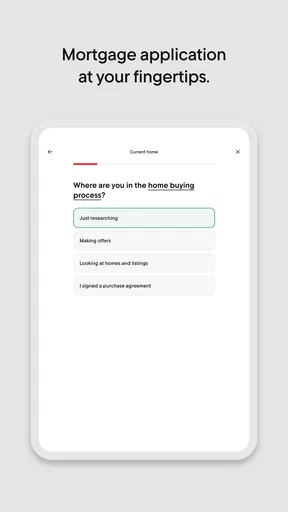
One of the standout features of this app is how it simplifies the entire mortgage process. I remember the days of sifting through endless documents and trying to make sense of jargon-packed forms. With Rocket Mortgage, those days are over. The app guides you step-by-step, ensuring you know exactly what’s needed at every stage. It’s like having a mortgage expert in your pocket!
I particularly loved how the app lets you customize your loan options. Whether you’re refinancing or buying a new home, you can adjust the terms to fit your financial goals. It’s surprisingly empowering to see how different rates and terms affect your payments.
Real-Time Updates and Notifications
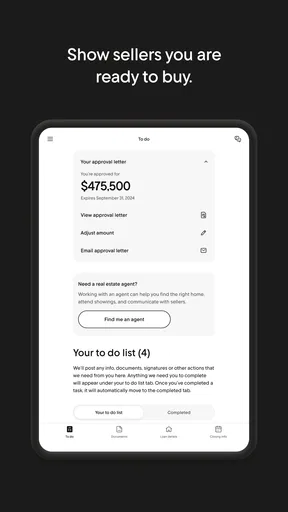
Another feature that I found incredibly useful is the real-time updates. Once you’ve submitted your application, Rocket Mortgage keeps you in the loop with notifications. No more waiting by the phone or email for updates. It’s all there, right at your fingertips.
The app also provides a timeline of your mortgage process, so you can easily track your progress. It’s reassuring to see each step laid out clearly, and it helps reduce any anxiety about missing important deadlines.
Secure and Trustworthy
Security is a big concern when dealing with financial information, and Rocket Mortgage doesn’t disappoint. The app uses advanced encryption to keep your data safe. I felt confident knowing that my personal information was protected, which is crucial in today’s digital world.
Plus, Rocket Mortgage is backed by Quicken Loans, which is a well-established name in the industry. This gives the app a level of credibility and trustworthiness that’s hard to beat.
Customer Support at Your Fingertips
If you ever find yourself stuck or have a burning question, Rocket Mortgage offers stellar customer support. There’s a chat feature within the app that connects you to a real person (yes, a real human!) who can help you out. Whether it’s a simple query or a more complex issue, they’ve got your back.
It’s refreshing to know that support is just a tap away, and you don’t have to deal with endless wait times or automated responses.
How I’d use it in a real week
Picture a buyer balancing work, a home search, and a stack of lender requests. Rather than trying to remember every conversation, I’d use the app as a checkpoint: open it when I have time to deal with the mortgage, look at the current step, and handle the task that is actually due. I would not treat an update as a guarantee that every part of the purchase is settled; I’d use it to decide what question, if any, to ask next. That distinction keeps digital convenience from replacing careful review.
A less obvious benefit of a focused workflow is that it can help separate mortgage work from general financial browsing. I would keep a short list of questions for the next check-in—such as what a displayed status means or which document is still needed—rather than sending scattered messages or repeatedly revisiting the same screen. For a couple buying together, agreeing on who checks the app and who follows up can also prevent duplicated effort. The app can support coordination, but both borrowers should still understand the decisions being made.
Choosing it over other finance tools
Compared with a lender’s website, a phone app is most useful when I want to check in between other tasks and keep a mortgage process close at hand. Compared with a bank app or budget tracker, it has a narrower job: helping with the mortgage relationship, not showing my whole financial life. Those tools can complement one another, but they answer different questions. I would use a budget tool to judge whether a payment fits my household plan, and a mortgage-focused tool to manage the loan process or account tasks it supports.
That difference is also the main trade-off. A dedicated mortgage app can feel clearer than trying to locate loan details among everyday banking features, but it adds another account and another place to maintain. If I have several financial apps already and rarely need to access mortgage information, a saved route to the lender’s website may be enough. If I am actively applying, refinancing, or managing a loan, having a dedicated mobile option is easier to justify.
Questions I would settle before relying on it
Before making the app part of my routine, I would check that I can access the mortgage account I actually need and that the device I plan to use meets the operating-system requirement. I would also confirm which actions are available for my situation, because the useful workflow for someone applying for a loan is not necessarily the same as the workflow for someone who already has one. Starting with a clear task is a better test than assuming every mortgage need will be handled in the same way.
I would keep notifications purposeful rather than letting them dictate how often I check. If an alert arrives, I’d open the app when I can give it attention, read the context, and save any follow-up question for the lender. For a decision with lasting financial consequences, I would not rely on a short notification as a substitute for reviewing the complete terms. This is a small habit, but it helps keep convenience and sound judgment in balance.
Final Thoughts
Overall, the Rocket Mortgage app is a fantastic tool for anyone looking to navigate the mortgage process with ease. It’s user-friendly, secure, and packed with features that streamline what could otherwise be a daunting task. If you’re in the market for a new home or considering refinancing, this app is definitely worth checking out.
So, give it a try, and let me know what you think! It might just change the way you think about mortgages forever.
Who is likely to keep it installed?
I can see this earning lasting space on the phone of someone actively working with Rocket Mortgage or someone who values having mortgage tasks close at hand. The app is free, which removes a direct purchase decision, but the better measure is whether it saves enough effort to justify keeping another finance account accessible. For an owner who checks in only occasionally, it may be useful to keep installed for those moments rather than make it part of a daily routine.
For someone shopping around, I would compare the loan itself, the terms, and the service they expect—not just the app experience. A smooth mobile workflow is a genuine convenience, but it should be one part of a larger decision. If the mortgage relationship fits and the app makes follow-through less stressful, that is meaningful recurring value. If the app is mainly appealing because it looks easy at first, the novelty may fade once the immediate application is over.
Pros
- User-friendly interface for easy navigation.
- Quick pre-approval process with minimal paperwork.
- Customizable loan options for diverse needs.
- Real-time rate updates to keep you informed.
- Strong customer support available 24/7.
Cons
- Limited to U.S. residents only.
- No in-person branch locations available.
- May require a high credit score for approval.
- Some users report app crashes occasionally.
- Complex terms can confuse first-time users.
FAQs for Rocket Mortgage
What is Rocket Mortgage and how does it work?
Rocket Mortgage is an online mortgage application service that streamlines the home loan process. It allows users to apply for a mortgage or refinance an existing loan entirely online, offering quick pre-approval decisions. The app uses automated technology to verify financial information, making it a convenient option for tech-savvy homebuyers.
Is Rocket Mortgage safe to use for my personal and financial information?
Yes, Rocket Mortgage employs advanced security measures to protect your personal and financial data. It uses encryption protocols to ensure that your information is secure. Additionally, the app complies with industry standards and regulations to provide a safe and trustworthy experience for its users.
Can I use Rocket Mortgage if I have a low credit score?
Rocket Mortgage accommodates a range of credit scores, but eligibility may vary. While a higher credit score increases your chances of securing a loan with favorable terms, the app also provides options for those with lower credit. It's advisable to check your credit score and consult with a representative to understand your options.
What are the costs associated with using Rocket Mortgage?
Using Rocket Mortgage itself is free, but like any mortgage service, there are costs involved, such as application fees, closing costs, and interest rates. These costs vary depending on the loan type and your individual financial situation. It’s essential to review the terms and conditions provided during the application process.
How long does it take to get approved for a mortgage with Rocket Mortgage?
With Rocket Mortgage, you can receive a pre-approval decision in just a few minutes, thanks to its automated verification process. The full approval and closing process can vary, generally taking anywhere from a few weeks to a couple of months, depending on the complexity of your financial situation and required documentation.


